
If your team treats NetSuite CSV imports like a full-day calendar event, you are not alone.
What starts as a “quick upload” has a funny way of turning into a loop of formatting fixes, error messages, re-uploads, and mild existential reflection. You know the pattern. Upload the file. Wait. Get an error. Fix the file. Upload it again. Get a different error. Fix that one. Upload it again. By the third attempt, you are no longer importing data. You are negotiating with it.
And the frustrating part is that many teams have accepted this as normal.
In a recent webinar, we asked attendees how many attempts their last NetSuite CSV import took before it finally worked. A large share said they already plan for two to three tries as part of the process. Others said three to five attempts is fairly standard. That is not a workflow. That is a ritual.
The good news is that most NetSuite CSV import failures come from predictable issues. The better news is that there is a much easier way to avoid them.
Why NetSuite CSV Imports Fail So Often
NetSuite CSV imports are useful for updating large volumes of records and adding new ones in bulk. No argument there. The problem is that the process validates data only after you upload it. That means you do not know what is wrong until the system tells you (however vaguely).
Most CSV import problems are not entirely mysterious. They are usually caused by formatting errors, invalid values, missing required fields, inactive accounts, dependency issues, or values that look right to a human but do not match what NetSuite expects.
Penny variances are a classic example. One line with an unexpected decimal can throw an entire journal entry off balance. So can a subsidiary that does not exist in the target environment, a legacy account that is no longer active, or a field value that is technically close but not valid.
The real issue is not that these errors happen. It is that the workflow forces you to discover them late.
That delay is what makes CSV imports so painful. You upload first, validate second, and fix later. Which is backward, if we are being totally honest.
The Trial-and-Error Tax
CSV workflows come with a hidden tax: time spent waiting to find out what broke.
That time adds up quickly. Teams often block off hours not because the upload itself takes that long, but because they know the correction cycle will. Even experienced users build in extra time for the “something will probably go wrong” part of the process. That might be normal, but it is not efficient. And it definitely is not necessary.
The easiest way to stop CSV import errors is surprisingly simple:
Stop using CSVs.
Yes, really.
A Better Way: Work with NetSuite Data Directly in Excel
CloudExtend built ExtendInsights for exactly this reason. Instead of forcing users through the CSV import-export loop, ExtendInsights connects NetSuite and Excel directly so users can create, edit, delete, and refresh NetSuite records right from a spreadsheet.
That means no converting files. No separate upload screen. No downloading an error file just to figure out which row failed and why. You stay in Excel, work with the data there, and push changes directly into NetSuite.
More importantly, ExtendInsights validates values in real time inside the spreadsheet.
This is where the experience changes completely. Instead of uploading a file and waiting for NetSuite to reject it, users can see issues as they work. An invalid subsidiary can be flagged immediately. An inactive account can be caught before upload. If a value is ambiguous, the system can surface matching options so the user can choose the correct one. If a field depends on another field, that dependency is recognized in context.
In other words, you stop guessing and start correcting.
Before the upload.
Which is the part everyone wanted all along.
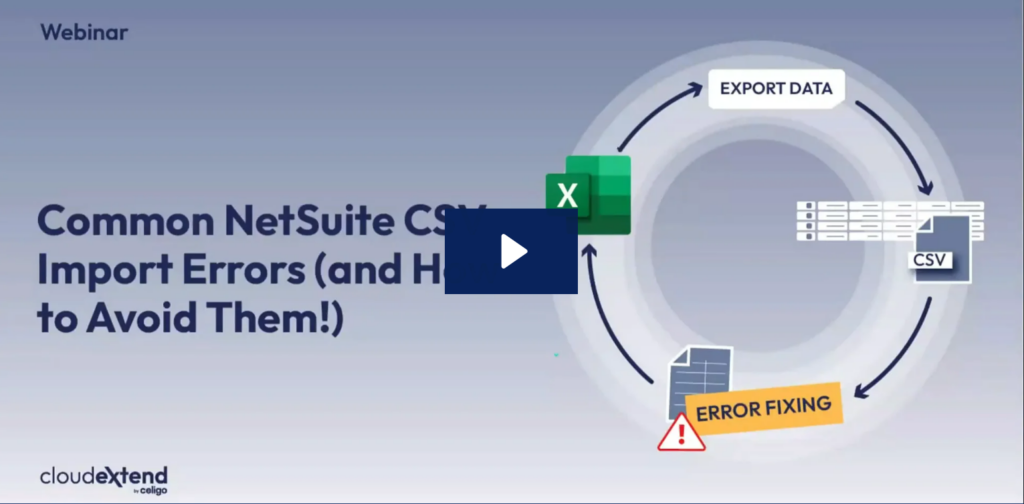
Learn More: Watch our latest webinar,
Common NetSuite CSV Import Errors (and How to Avoid Them!)
Templates Make Repeat Work Less Repetitive
One of the more useful capabilities demonstrated in the webinar was the use of Excel templates for repeatable NetSuite processes.
Think journal entries, inventory adjustments, and other updates that happen regularly. Instead of rebuilding your structure from scratch each time, ExtendInsights lets you create templates tied to specific record types. Those templates can include header-level fields, line-level fields, validations, formulas, and reusable logic.
This is especially valuable for finance teams. If you are repeatedly uploading journals, inventory counts, or other transactional updates, templates turn a messy process into a standardized one. It is still Excel, which means users can apply formulas, drag values down, and work in a familiar environment. But now it is Excel with a direct connection to NetSuite and built-in live validation.
That is a much better use of everyone’s time than staring at a CSV import status page and hoping for green.
Analytics without the Export Circus
ExtendInsights also solves the other half of the problem: extracting data from NetSuite without relying on CSV downloads.
Users can pull NetSuite data into Excel using saved searches, SuiteQL queries, or natural language requests through the AI Query Generator. That means if someone wants live item data, transaction records, or any other NetSuite dataset, they can bring it into Excel directly and refresh it on demand or on a schedule.
That is a big deal because CSV exports tend to create clutter, stale files, and version confusion. Analytics inside ExtendInsights keeps the data live and usable. In the webinar demo, inventory data was pulled into Excel, used to compare system quantities against warehouse counts, and then written back into NetSuite as an inventory adjustment. No exporting, downloading, re-uploading, or reconciling across disconnected files.
Just one continuous workflow.
That is the real value here. ExtendInsights does not just eliminate CSV errors. It eliminates the process that causes them.
And Then There’s Financial Reporting
The webinar also included a preview of upcoming financial reporting capabilities in ExtendInsights, built directly into Excel. Instead of downloading tables and manually rebuilding reports, finance teams will be able to create financial statements using live formulas tied directly to NetSuite.
That means dynamic income statements, drill-down into supporting transactions, and reports that update when the parameters change. No copy-paste gymnastics. No rebuilding month after month. Just live reporting in the environment finance teams already use every day.
Which, if we are being honest, is exactly where a lot of them wanted to stay anyway.
The Bottom Line
NetSuite CSV import errors are common, but they are not random. They come from predictable issues inside a workflow that catches problems too late and makes correction harder than it needs to be.
That is why the best fix for NetSuite CSV import errors is not another troubleshooting guide. It is a better workflow.
ExtendInsights gives teams a way to work directly with NetSuite data in Excel, validate data before upload, eliminate CSV files entirely, and bring reporting and updates into one connected process. It is faster, cleaner, and a lot less irritating.
Which is saying something, because CSV imports have been irritating people for years.
If your team is ready to stop planning for two or three upload attempts “just in case,” it may be time to try something better.
Why not try ExtendInsights free for two weeks. See what life is like post-CSV imports.